Using made stock
This article explains how MakrPrep keeps track of things you've made extra of, and how to use them for other orders.
Steps
On the Production plan, type a bigger number in Making than is needed. For example, an order needs 10 cheese scones and you make 20.
- Tick it Done. The 10 extra go into made stock. A message tells you how many were added.
When another order needs cheese scones, type how many to use in its From stock column. Making drops by the same amount, so if the second order needs 5 and you use 5 from stock, Making shows 0.

A Production plan line with 5 in From stock and Making at 0 Click Made stock at the top of the Plan to see what you have spare, when you made it, and to correct the numbers, for example if you sold or threw some away.
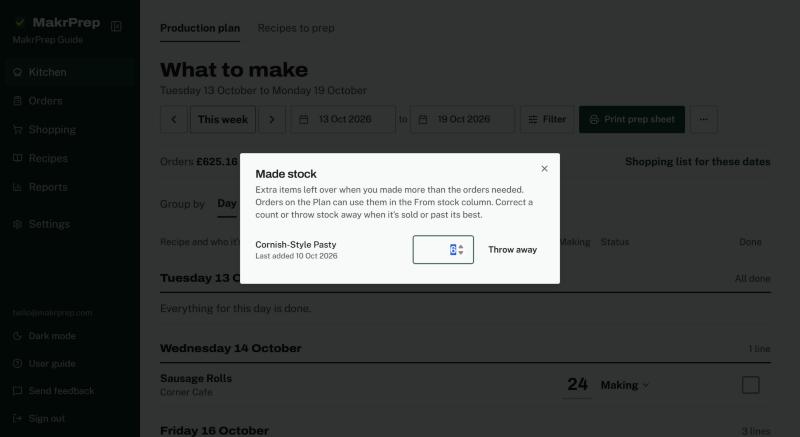
The Made stock window listing recipes with how many are available and when each was last made
What to expect
You can't use more from stock than you have. If you untick a line as done, the extra it added to made stock is taken back off.