Using the Production plan
This article explains what the Production plan shows and how to work through it.
Before you start
Have at least one order due in the dates you're planning.
Steps
Open Kitchen, Production plan. It's headed "What to make". Pick your dates at the top with the previous and next week buttons or This week. The same dates are used on Recipes to prep and the Shopping list.
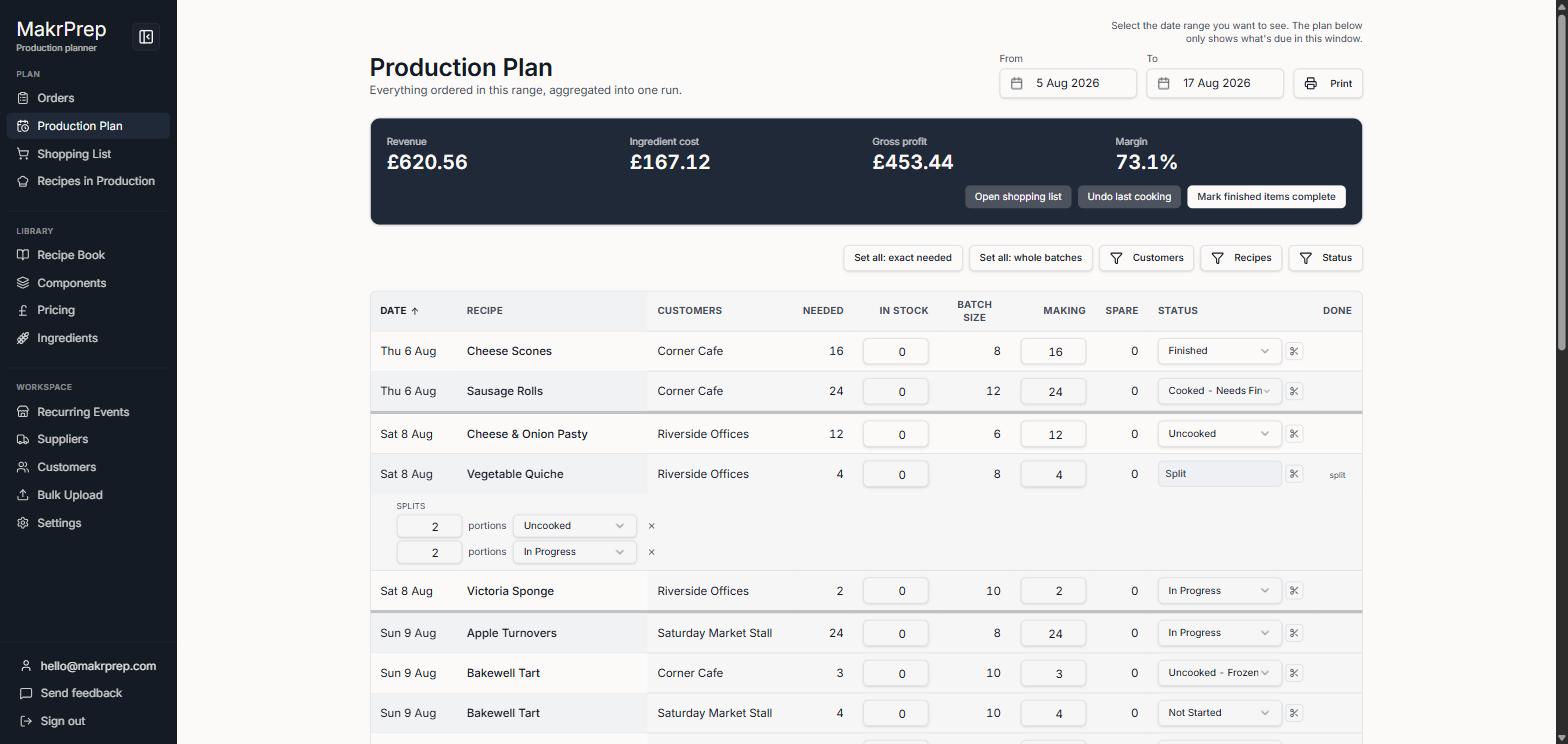
What to make with the dates, Filter, Print prep sheet, the money line, Group by, and a day of lines - Under the dates is one line with the value of the orders, the ingredient cost, profit and margin, and the same dates last year. "Shopping list for these dates" takes you straight to what to buy.
- Lines are grouped by day to start with. Use Group by to group them by Recipe instead (all the pies together), by Customer (everything for Corner Cafe), or by Status.
- Each line is one recipe for one date. Under the name is who it's for. The big number is how many you're making, which starts at what's needed.
- Tap the number to change it. You can make extra (it goes into made stock when you tick it done), set it to exactly what's needed or whole batches, or use made stock you already have.
- The status shows in words: in-progress statuses like Making are bold, waiting ones like To make are grey. Tap it to change it. Statuses are set in Settings, Pricing and orders.
Tick the box when it's made. MakrPrep takes the ingredients out of stock and moves the line to Completed at the bottom. Tick it again to undo and put the stock back. When every line on an order is done, the order moves to Ready on the Orders page.
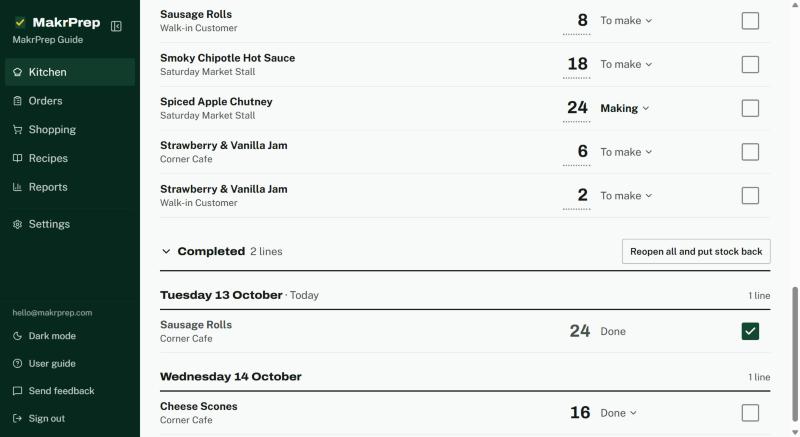
A ticked line and the Completed section - Filter shows only some customers, recipes or statuses, and changes the sort order. While a filter is on, "Showing only..." appears above the lines with a Clear link. MakrPrep remembers how you left it.
- Click a recipe name to open it on Recipes to prep, scaled to what you're making.
- The ⋯ button has Made stock, set every line to exactly what's needed or round up to whole batches, show batch sizes, take stock out for lines marked done, undo the last cooking, and How the plan works.
What to expect
Orders that are past their date and not made yet say "Overdue" in red under the name, so nothing slips through. You can change how many days count in Settings, Pricing and orders, Order dates and overdue. A day where everything is finished says "All done".
Common issues
- A new order didn't add to a line I'd already started: once a line has moved past its first status, new orders for it are added as a separate line, so what you've already committed to doesn't change.