Understanding allergen labels
This article explains how MakrPrep works out a recipe's allergens and builds its ingredient statement.
Before you start
Tick the allergens on each ingredient on the Ingredients page.
Steps
- Allergens start on your ingredients. Tick every allergen each one contains, and copy the ingredients from the pack into Detailed ingredients, naming the exact cereal or nut (wheat flour, ground almonds).
- If an ingredient's name or detailed ingredients mention an allergen that isn't ticked (for example "peanuts" on something only ticked for tree nuts), its allergen button turns amber so you can check it.
- A recipe's allergens are everything ticked on its ingredients, including ingredients inside components, and components inside those. You can add others by hand on the recipe's Label tab, for example from a shared fryer.
The ingredient statement lists every ingredient, heaviest first, with each one's own ingredients in brackets. Following Food Standards Agency guidance, just the allergen word is in capitals, for example "Plain flour [WHEAT flour, calcium, iron, niacin, thiamin], BUTTER [MILK], free range EGGS".
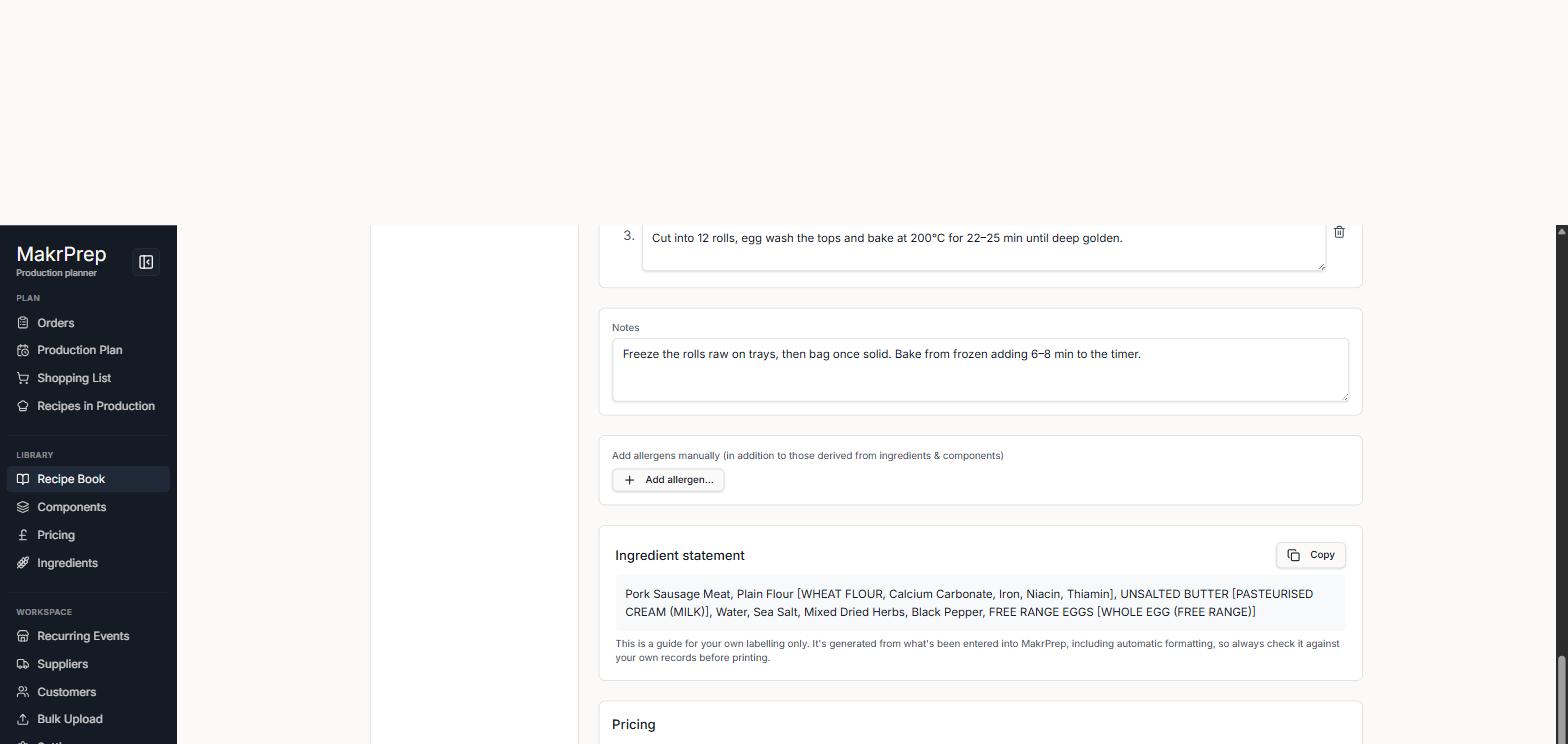
A recipe's ingredient statement with allergen words in capitals, the Allergens line and the Copy button - If an ingredient is ticked for an allergen that its wording doesn't name, MakrPrep adds it in brackets so it's never lost, for example "Plain flour (GLUTEN)". Adding the pack's ingredients gives a more exact label, like "WHEAT flour".
- Words that only look like allergens are left alone, such as nutmeg, coconut, cocoa butter, cream of tartar and oat milk (unless oats are ticked).
- Allergens added by hand appear in the Allergens line under the statement, with a note that they aren't in the ingredient list, so you can add them to your label yourself.
- Choose which allergen lists you tick from in Settings, Business Setup, Allergen standards: the UK 14, the US Big 9 and others.
What to expect
The label is only as accurate as what's been entered. Always check it against your own records and packaging before printing.
Common issues
- An allergen is missing from a recipe: check it's ticked on the ingredient, including ingredients inside any components the recipe uses.
- The label says "(GLUTEN)" rather than naming the grain: add the pack's ingredients to that ingredient's Detailed ingredients, for example "wheat flour".