Building and editing recipes
This article covers everything you can do in the Recipe book.
Steps
Open Recipes, Recipe book. Your recipes are listed on the left by category. Filter by tag, tick recipes to print them, or fold the list away with the panel button for more room.
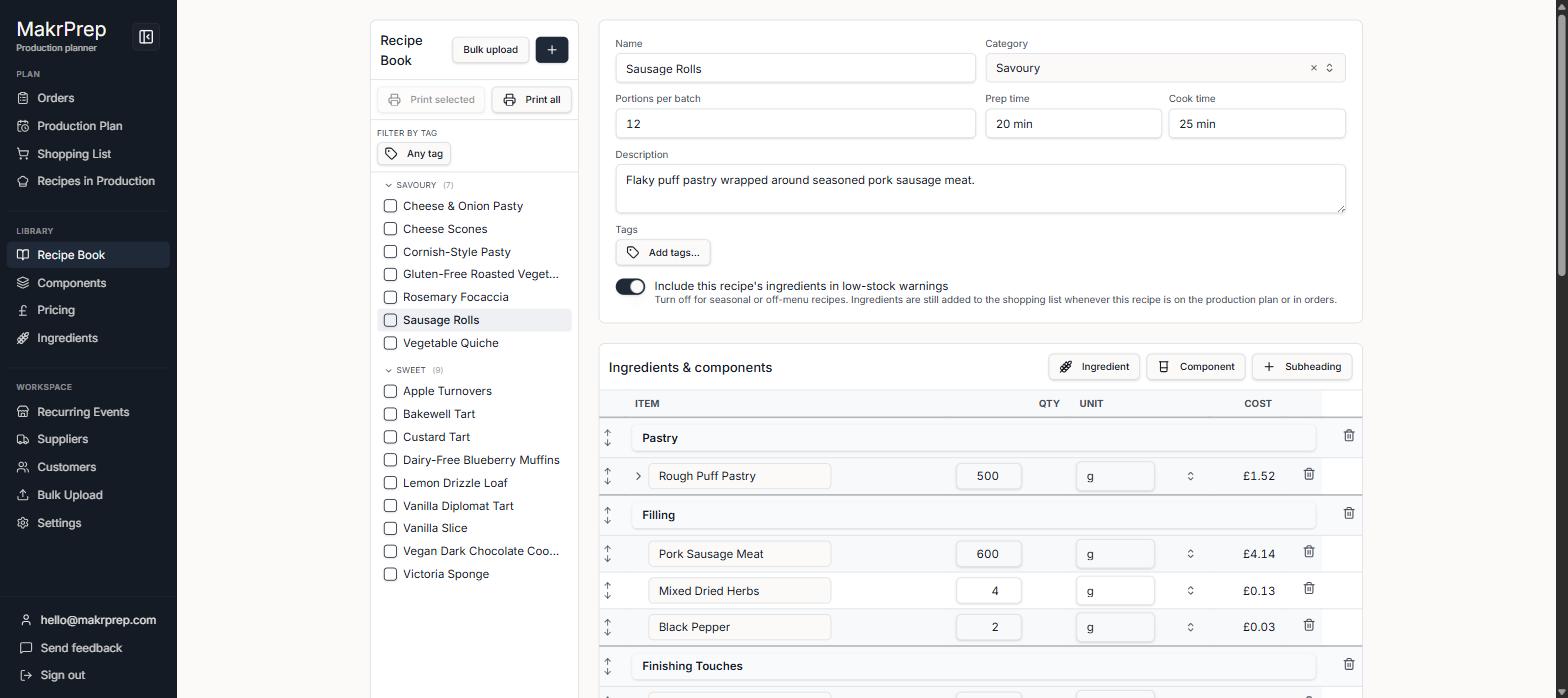
The Recipe book list and a recipe open on its costing - A recipe opens read-only. At the top: its name, "Makes N a batch", category and tags, and the cost per item as the big figure.
- The Costing tab lists every ingredient and component with what it costs, then the batch total and cost each. Click a component to see what's inside it. Next to it, Prices shows each price list with your price, the suggested minimum and your margin. Tap a price to change it.
- The Method tab has the numbered steps and your notes.
The "Label and allergens" tab shows the ingredients list, ready to copy, and the full allergen list (see "Understanding allergen labels").
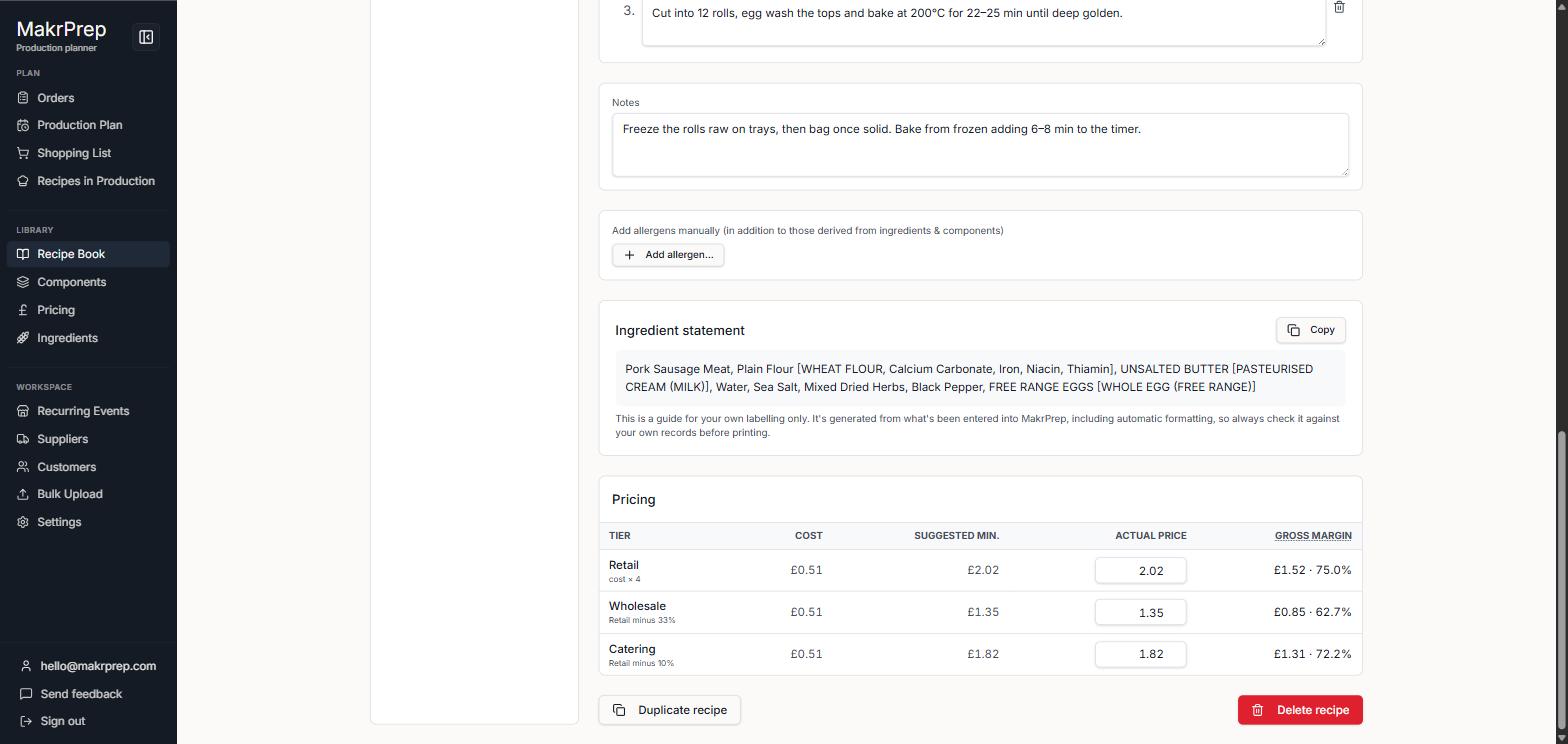
The Label and allergens tab - To change anything else, click "Edit recipe". You get the name, category, how many a batch makes, times, description, tags, the ingredient and component lines, method and notes, plus "Include this recipe's ingredients in low-stock warnings" (turn it off for seasonal recipes). Click Done when you've finished.
- Duplicate recipe and Delete recipe are in the ⋯ menu next to Edit recipe.
Common issues
- A suggested price shows "relative (no base tier)": that price list is set relative to another one that hasn't been chosen. Fix it in Settings, Pricing tiers.