Understanding pricing tiers and suggested prices
This article explains how price lists, suggested prices and your actual prices fit together.
Steps
- Each price list (pricing tier) has a formula that suggests a minimum price from a recipe's cost. It's a safety floor, not a recommendation.
- Your actual price is what you charge, and what new orders use. It only changes when you change it.
Open Recipes, Pricing to work on every recipe at once. Filter by category or price list, tick rows, and use "Accept suggested minimum" to bring them up to the floor.
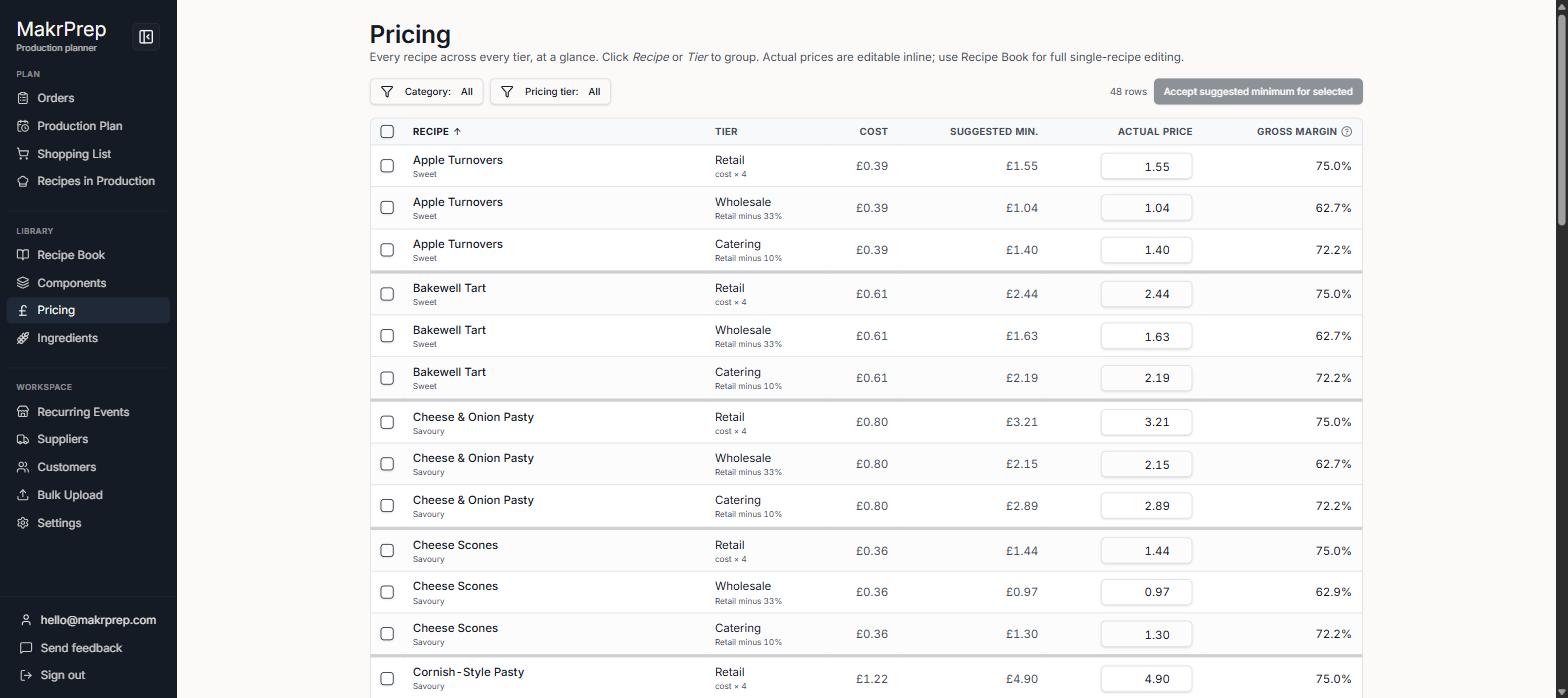
The Pricing screen with filters, ticked rows and the Accept suggested minimum button For a single recipe, use the "Cost & price" tab in the Recipe book.
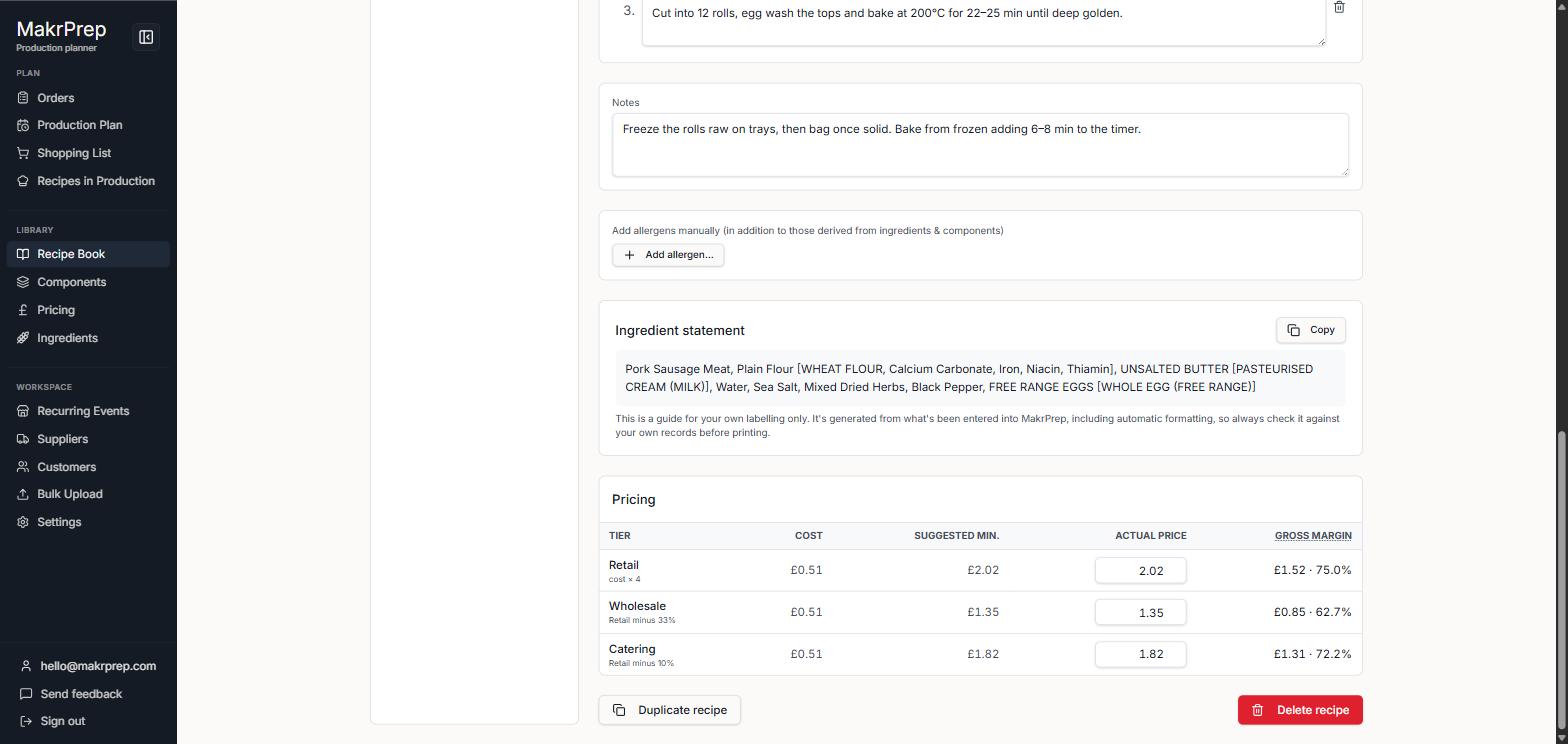
A recipe's Cost & price tab in the Recipe book
What to expect
When ingredient prices rise, suggested minimums go up straight away. Prices that fall below them get a warning icon, and Reports lists them so you can review.