Managing pricing tiers and statuses
This article covers the lists in Settings, Pricing & Orders.
Steps
- Pricing tiers are your price lists. Each has a formula for a suggested minimum price: times cost, cost plus a fixed amount, or relative to another tier.
- Order statuses track an order from received to delivered. The first one is used for new orders. Ones marked complete count as finished: those orders can be hidden on the Orders page and never show as overdue. Defaults: Received, Prepped, Cooking, Ready, Delivered.
Production statuses track each line on the Production plan. Ones marked complete mean it's made. Defaults: To make, Making, Done.
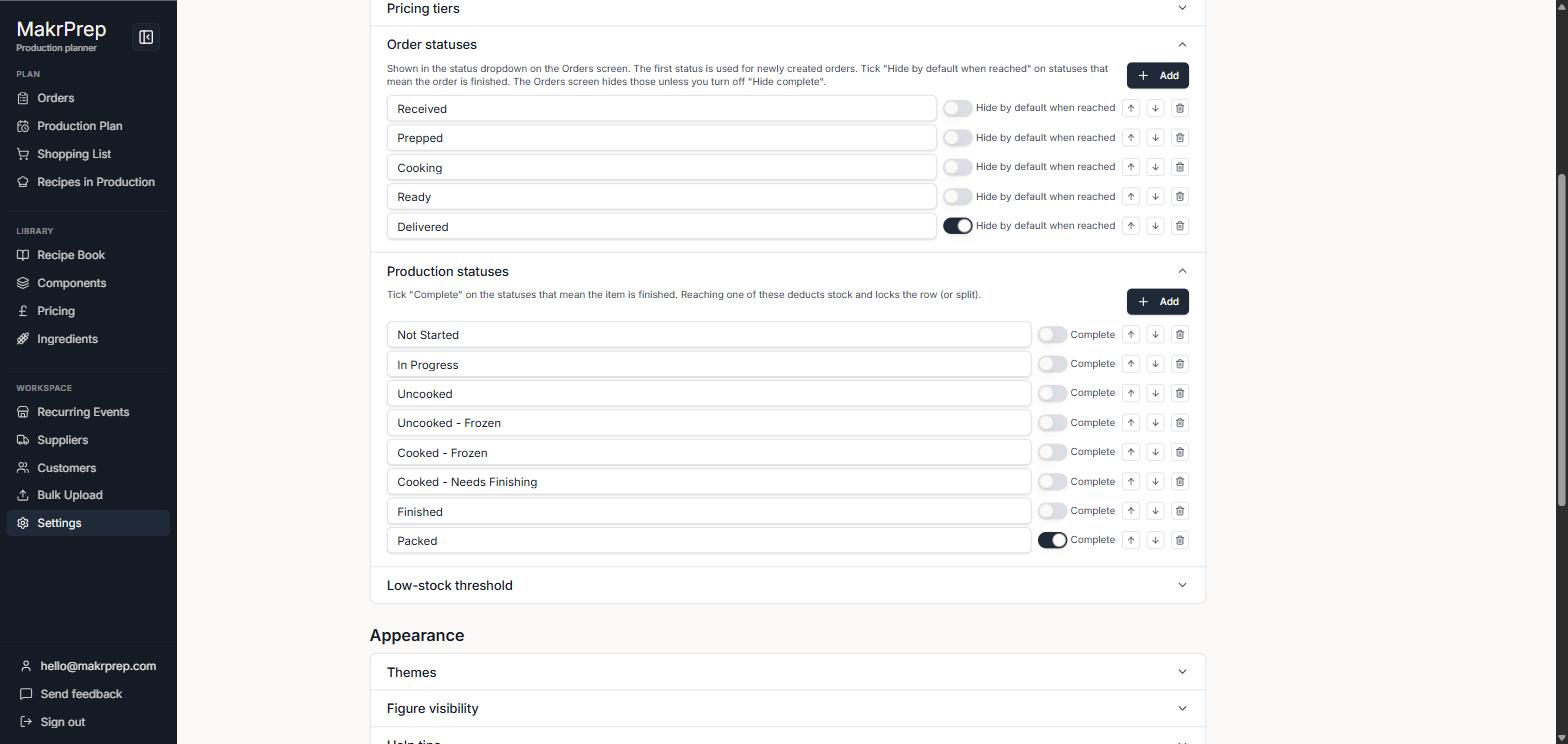
Settings showing the Order statuses and Production statuses lists, each with a complete tick per status - Order dates & overdue sets how many days the Orders page shows, and for how many days past their date unfinished orders keep showing as Overdue.
- The low-stock threshold sets how many batches' worth of each ingredient you want to keep before it counts as low.
Common issues
- Deleting a price list also deletes every recipe's price on it. Export a backup first if you might want them back.