Component pooling
This article explains how MakrPrep adds up a shared component, like a dough or a filling, across every recipe that uses it.
Before you start
Have a component used by recipes on your Production plan.
Steps
- Open Kitchen, Recipes to prep and pick the component from the index. It shows the total you need across every recipe and order for your dates, and how many batches that is.
- Open the breakdown to see which recipes and dates it's for. Untick any you don't want included, for example if you've already made that part.
When you've made the batch, click Mark prepped. The ingredients come out of stock once, for the whole batch.
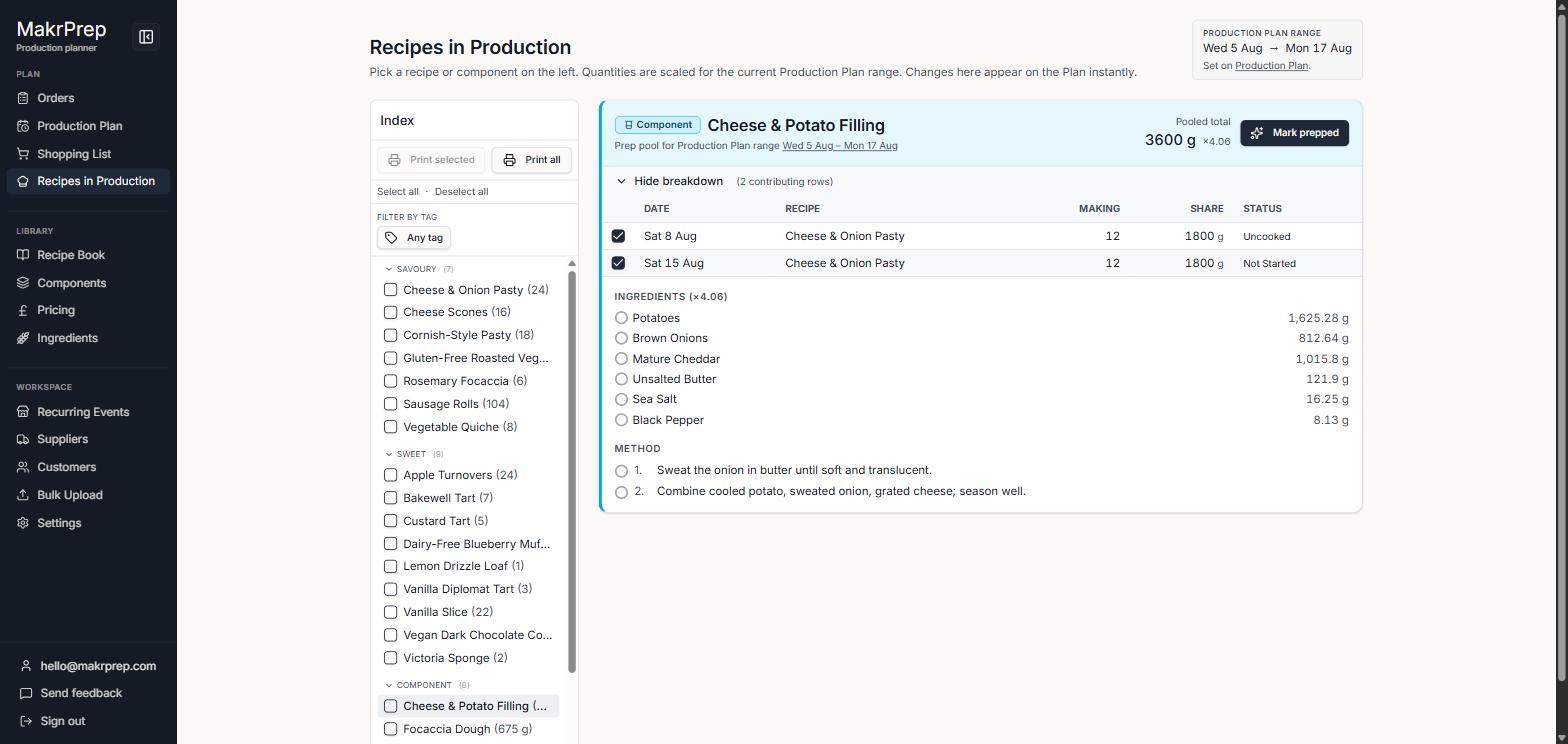
A component on Recipes to prep showing the total needed, Mark prepped, and the breakdown of recipes using it
What to expect
When you later finish the recipes that use the component, its ingredients aren't taken out of stock a second time. If you never mark the component prepped, they're taken out with each recipe instead.