Generating and reading your shopping list
This article helps you see what to buy and record what you bought.
Before you start
Have orders on your Production plan.
Steps
Open Shopping, Shopping list. It lists everything your orders need minus what you already have in stock, rounded up to whole packs. Amounts are rounded up to the gram; hover over one to see the exact figure.
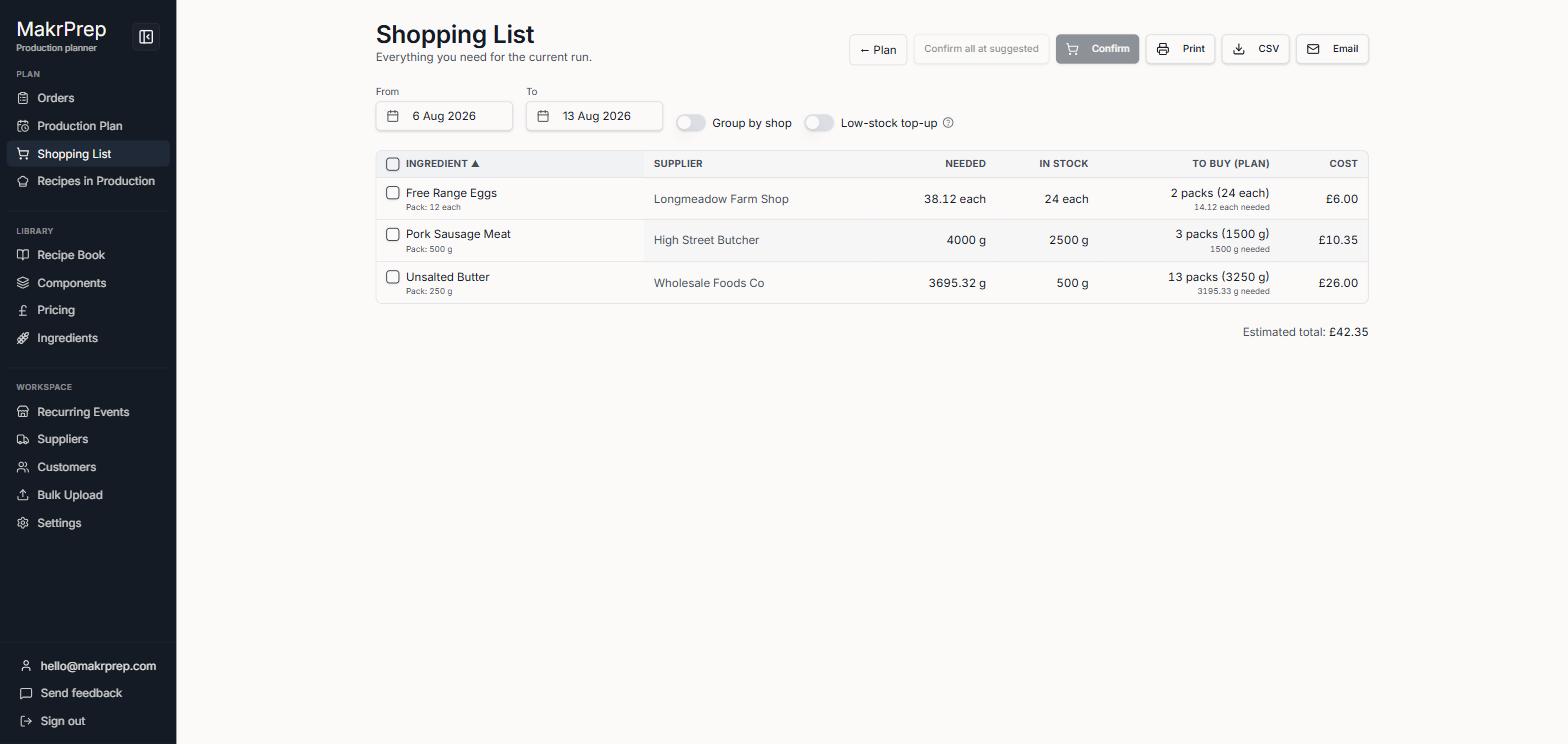
The Shopping list with To buy, Cost and the Estimated total - It starts on the Production plan's dates. Change them with the week buttons, or click "Use Plan dates" to match the plan again.
- Turn on "Group by shop" to sort the list by supplier. Turn on "Low-stock top-up" to also buy enough to bring low ingredients back up; "Batches of buffer" sets how much counts as low.
- On a phone, what each ingredient needs, what's in stock and its supplier show in a line under its name, with To buy and Cost on the right.
After shopping, tick what you bought (or nothing, for everything) and click Confirm purchases. Change any amounts or prices that differ, then confirm. Your stock goes up by what you bought, and a changed price updates every recipe that uses it.
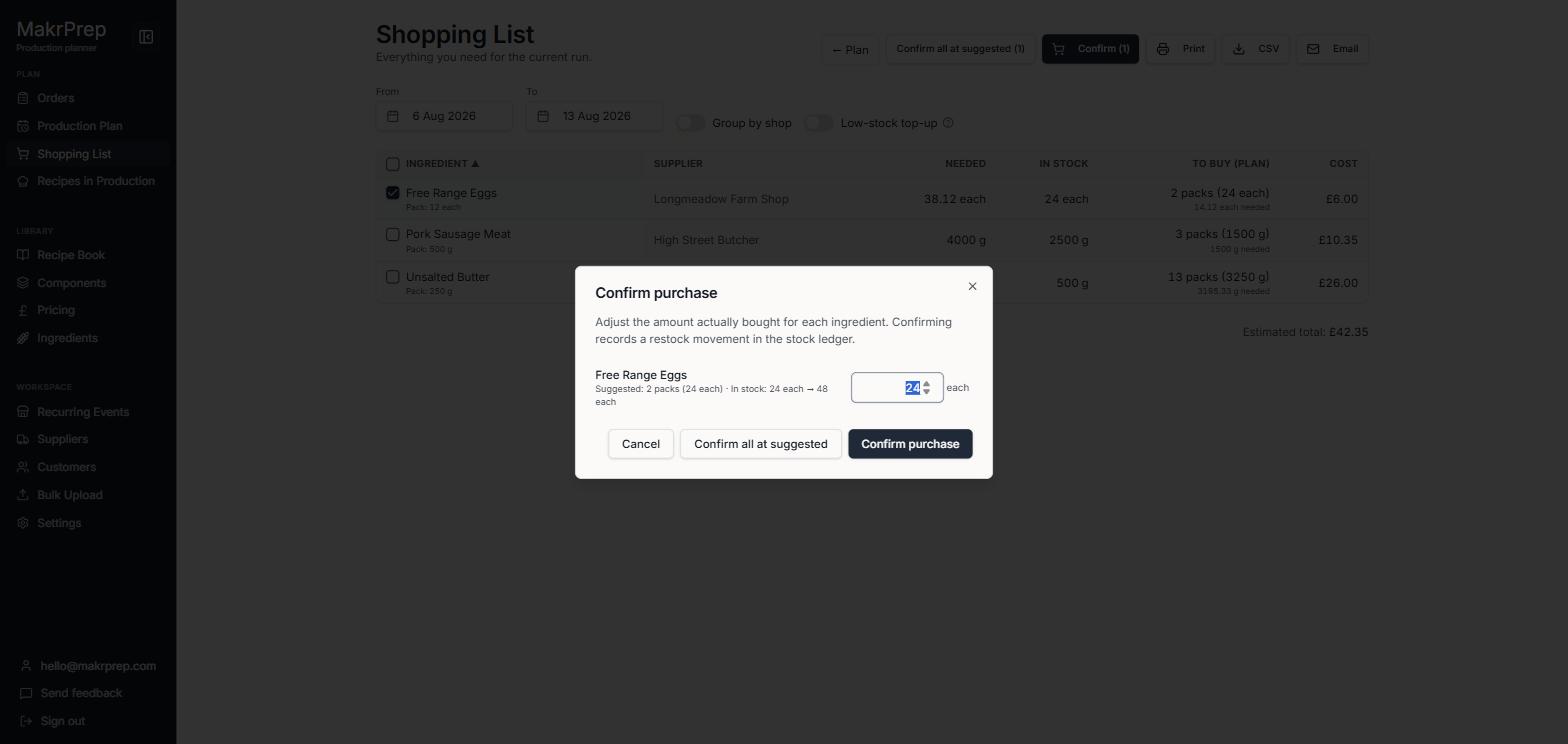
The Confirm purchases window
What to expect
Anything you already have enough of is left off. It comes back when you're short again. The estimated total sits under a heavy rule at the bottom.
Common issues
- The list is empty: there are no orders in the dates picked, or you have everything in stock. Widen the dates or check Orders.